
License and Invoice Packages
Learn how to check your license status and choose the right invoice package on GenInvoice.
Step 1: Purchase a License or Invoice Package
After connecting the legal entity to your FPT account, purchase a license if you do not have one yet. FPT will not accept invoices from accounts without an active license or with no remaining invoices.
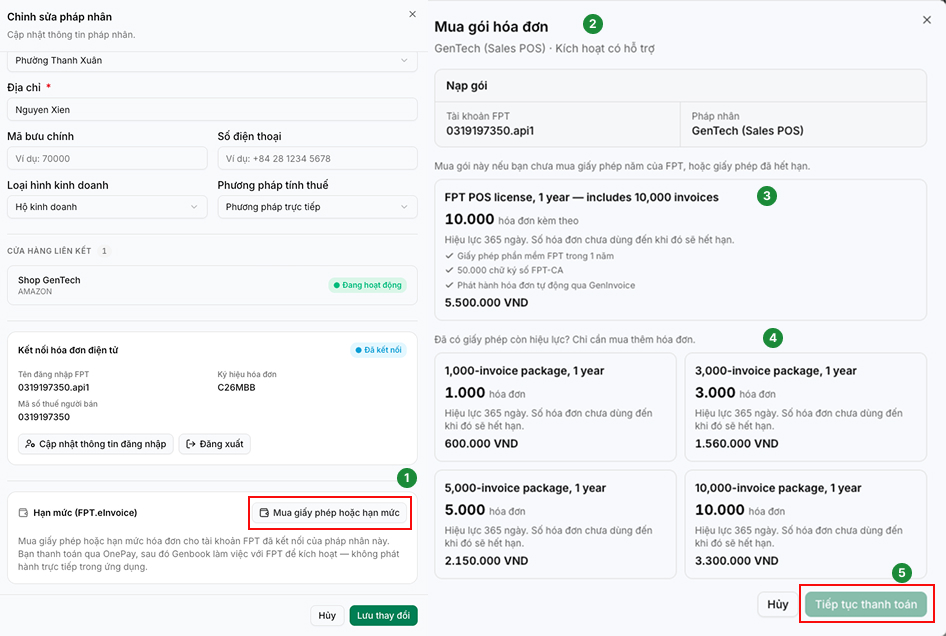
- Select “Purchase License or Invoice Quota.”
- Choose the invoice package or license that best fits your needs.
- License: Includes one year of FPT software, invoices, and a digital signature.
- Additional MTT Invoice Package: Adds more invoices to your existing license.
- Click “Proceed to Payment” to complete the purchase.
Step 2: Available Purchase Options
Each item is valid for 365 days from the date FPT activates it. Unused invoices will be carried over to the next period if you renew your license.
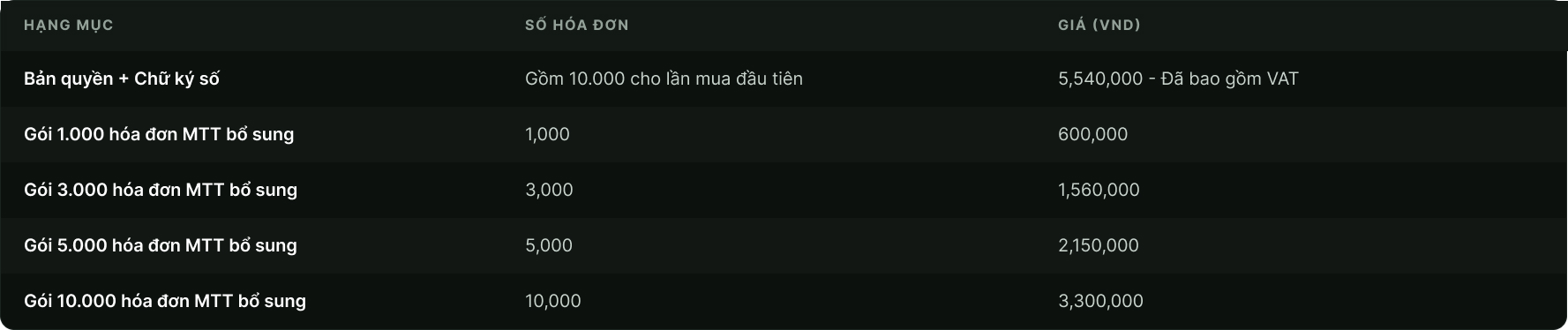
The License Package includes one year of FPT software usage. The digital signature includes 50,000 signing transactions per year. Please purchase the License Package first, as FPT only supports additional packages for accounts with an active license.
Step 3: Review the Amount and Make a Payment
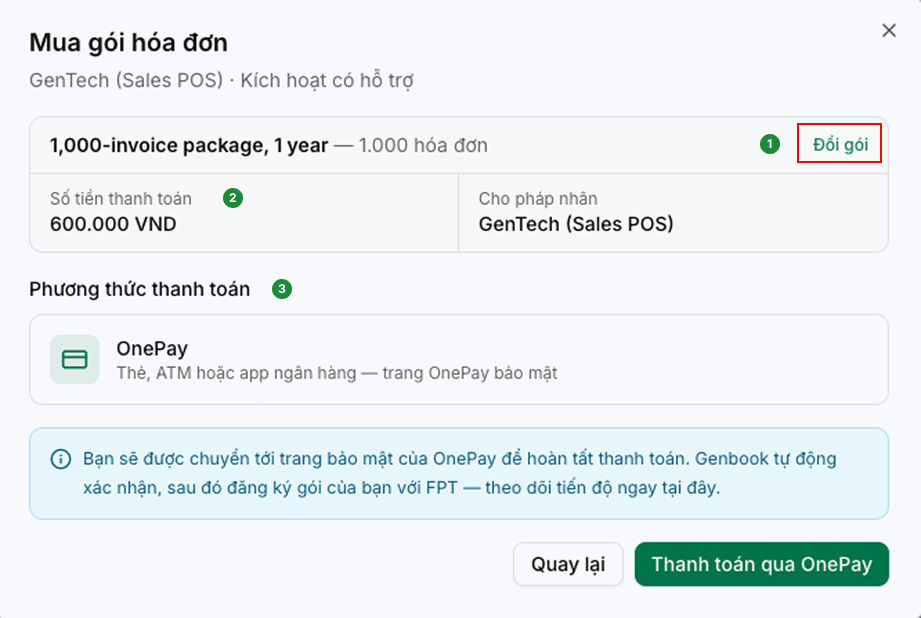
-
Confirm the selected items: Click “Change Package” to select a different package if needed.
-
Confirm the amount and legal entity the purchase will apply to.
-
Select a payment method: Card, ATM, or banking app.
*Note: Please check your invoice quota approximately 3–4 hours after payment.